
.svg)

TL;DR:
- Wasted ad spend accumulates gradually through misconfigured budgets, leading to inefficient campaigns and lost opportunities.
- Setting the right budgets involves understanding types, prerequisites, and the platform’s overspending mechanics to optimize performance strategically.
Wasted ad spend doesn’t happen all at once. It creeps in quietly through miscalculated daily budgets, uncapped shared campaigns, and the slow bleed of money flowing toward the wrong audiences at the wrong times. If you’ve ever pulled a monthly performance report and felt a knot in your stomach wondering where the budget actually went, you already understand the stakes. Getting campaign budgets right is the difference between a paid media program that compounds results and one that just burns cash. This guide walks you through everything you need: the foundational concepts, a practical step-by-step setup, common errors to avoid, and how to keep improving once your campaigns are live.
Table of Contents
- Understanding campaign budgets and requirements
- Step-by-step guide: Setting campaign budgets
- Troubleshooting common campaign budget errors
- Measuring success: How to evaluate and adjust your campaign budgets
- Why rigid budget formulas can limit campaign growth
- Unlock expert help for campaign budgeting and optimization
- Frequently asked questions
Key Takeaways
| Point | Details |
|---|---|
| Daily vs monthly budgets | Setting campaign budgets requires understanding the difference between daily and monthly allocations for accurate planning. |
| Shared and fixed-duration budgets | Shared budgets help optimize spend across campaigns, while total budgets fit limited-time projects. |
| Avoiding common mistakes | Monitoring budget thresholds and using Google’s spending guidelines prevents overspending and campaign failure. |
| Continuous improvement | Regularly reviewing campaign data and adjusting budgets delivers the best ROI results. |
| Agile budgeting strategies | Being flexible and adapting to market changes can lead to higher conversion rates and greater growth. |
Understanding campaign budgets and requirements
With the stakes clear, let’s start by defining what campaign budgets really are and what you need to set them up correctly.
A campaign budget is not just a spending cap. It’s a strategic signal to the platform about where to prioritize delivery, how aggressively to bid, and when to pull back. Different budget types serve different goals, and choosing the wrong one for your situation is one of the most common structural mistakes we see in accounts we audit.
Here’s a quick breakdown of the four main budget types in Google Ads:
| Budget type | Best for | Key characteristic |
|---|---|---|
| Daily budget | Ongoing campaigns | Set per campaign; Google averages spend across the month |
| Monthly budget | Broad planning | Used for forecasting; converted to daily by dividing by 30.4 |
| Shared budget | Multiple campaigns | One pool of money distributed across selected campaigns |
| Total (campaign) budget | Fixed-duration campaigns | Spends a set amount over a defined campaign period |
Before you set a single budget, there are prerequisites that must be in place. Skipping them is like building a house without a foundation.
- Clear campaign objectives. Is this campaign driving brand awareness, leads, or direct revenue? Your objective determines how aggressively to spend.
- Historical data or benchmarks. If you have past campaigns, use their cost per click (CPC) and conversion rate data. If you’re starting fresh, use industry benchmarks to set realistic expectations.
- Defined KPIs. Know your target cost per acquisition (CPA) or return on ad spend (ROAS) before you open the budget settings.
- Resource allocation plan. How does this campaign fit within your total media budget? Is it getting 20% of your quarterly spend or 80%?
When it comes to Google Ads specifically, Google’s platform guidelines establish that daily budgets are set at the campaign level and are calculated by dividing your monthly budget by 30.4. Google may overspend up to 2x your daily budget on high-traffic days, but it will never exceed your monthly limit of 30.4 times the daily amount.
This has direct implications for optimizing ad budget allocation, because how you set up each campaign’s daily budget will determine how flexibly or rigidly the platform paces your spend throughout the month.
Before activating any campaign, consider auditing your account structure. If you have five campaigns pulling from five individual budgets, you may be leaving efficiency on the table compared to a consolidated shared budget approach. Understanding how to optimize ad campaigns for ROI starts with getting this architecture right from the beginning.
Step-by-step guide: Setting campaign budgets
Now that the definitions and prerequisites are clear, let’s walk through the exact steps you need to take to set and manage campaign budgets.
Step 1: Define your monthly investment for each campaign. Start with your total monthly paid media budget. Then allocate percentages across your campaigns based on strategic priority. A lead generation campaign targeting your highest-value product line should get more budget than a broad awareness play.
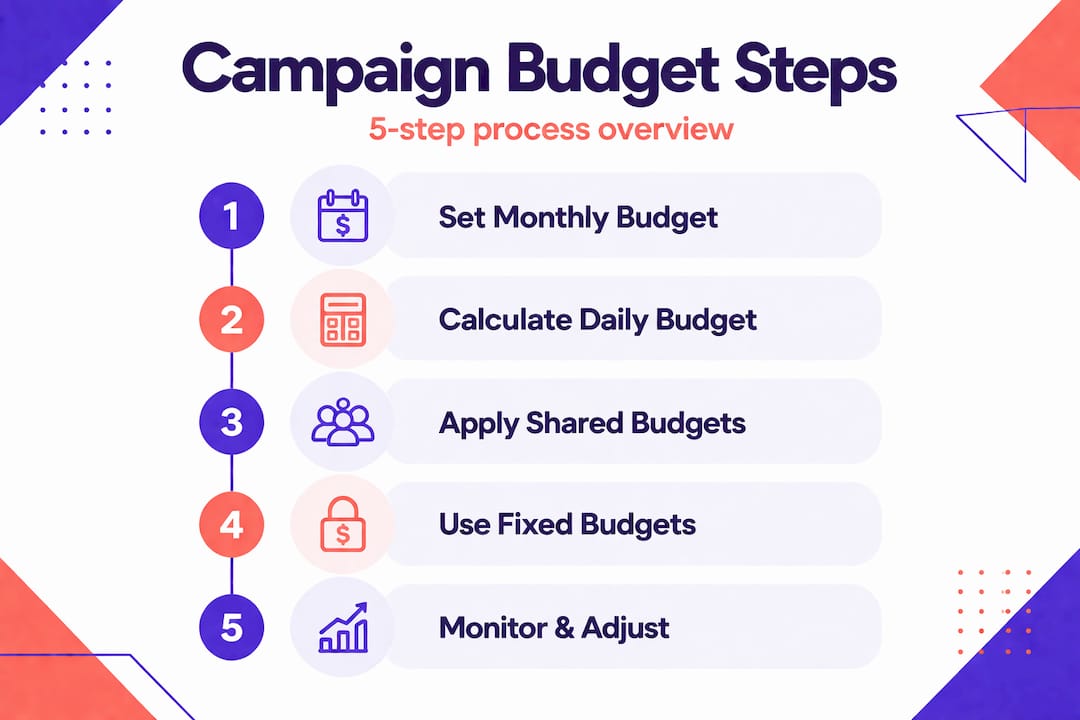
Step 2: Calculate your daily budget using the 30.4 formula. Divide each campaign’s monthly allocation by 30.4. For example, if you’ve assigned $3,040 per month to a campaign, your daily budget is $100. Simple math, but it’s critical to get right.
Step 3: Apply shared budgets where appropriate. If you’re running multiple campaigns in the same funnel stage with similar targeting, a shared budget lets Google distribute spend toward whichever campaign is showing stronger real-time performance. This is particularly useful for running Google Ads profitably in 2026, where auction dynamics can shift rapidly.
Step 4: Use total campaign budgets for fixed-duration flights. Promotions, product launches, and seasonal campaigns often have hard start and end dates. A total campaign budget ensures you don’t accidentally run past your planned end date and spend beyond your allocation. This is a feature that’s easy to overlook in standard Google Ads campaign setup workflows.
Step 5: Activate, monitor, and document. Once budgets are live, document your intended setup. Screenshot your settings. Log your expected daily spend per campaign. This creates a baseline for troubleshooting later.

Here’s a sample budget allocation across three campaigns for a company with a $10,000 monthly Google Ads budget:
| Campaign | Monthly allocation | Daily budget (÷30.4) | Campaign type |
|---|---|---|---|
| Brand search | $2,000 | $65.79 | Ongoing |
| Non-brand lead gen | $5,000 | $164.47 | Ongoing |
| Product launch promo | $3,000 | Fixed total | Fixed duration (30 days) |
Notice the product launch uses a total campaign budget rather than a daily one. This gives the platform flexibility to front-load or back-load spend based on performance signals during that promotion window.
Pro Tip: When allocating budgets across multiple campaigns, add your intended daily spends and compare them to your total monthly allocation before going live. Even small rounding errors across five or six campaigns can lead to meaningful overspend if left unchecked. Per Google’s documentation, the platform can spend up to 2x your daily budget on any given day, so your safety buffer needs to be built in at the planning stage.
Troubleshooting common campaign budget errors
As you implement budgets, some errors can jeopardize performance. Here’s how to spot and fix the most impactful ones.
Budget errors rarely announce themselves. They surface in the data weeks later, usually when it’s too late to recover that spend. Here are the errors we see most often and how to correct them fast.
Setting daily budgets too low. When daily budgets are too tight, campaigns throttle delivery and miss peak conversion windows. If your campaign is consistently hitting its daily cap before noon, you’re leaving money and conversions on the table. The fix: analyze your hourly performance data and increase the budget to cover your highest-converting hours.
Setting daily budgets too high without historical data. On the flip side, new campaigns with inflated budgets and broad targeting can exhaust spend on irrelevant clicks before the algorithm learns. Start conservatively on new campaigns and scale budgets as quality signals improve.
Misunderstanding how Google handles overspending. A lot of managers panic when they see daily spend that’s 30% or 60% above their set amount. This is actually expected behavior. As Google confirms, the platform may overspend up to 2x your daily budget on high-demand days but will never exceed your monthly limit.
“Google may overspend up to 2x daily but not exceed monthly limit (30.4x daily).”
Understanding this prevents unnecessary budget changes that disrupt campaign learning.
Failing to use shared budgets strategically. Marketers often set up separate daily budgets for each campaign and never revisit whether consolidation would improve performance. Shared budgets are underused. They allow the algorithm to redistribute spend based on real-time signals, which often improves overall account efficiency.
- Audit your campaign list quarterly for budget fragmentation
- Compare campaign performance before and after switching to shared budgets
- Watch for cannibalization where campaigns within the same shared budget compete for the same audience
Understanding why Google Ads is structured this way helps clarify the strategic logic behind these budget mechanics. The platform is designed to optimize delivery, and your budget setup should work with that design, not against it.
Pro Tip: Set up automated budget alerts inside Google Ads or through a third-party tool. Configure notifications for when any campaign exceeds 90% of its daily budget before 3 PM. This gives you time to adjust before you’ve fully exhausted spend for the day. Cross-platform ad management gets significantly easier once you’ve built these monitoring habits into your workflow.
Measuring success: How to evaluate and adjust your campaign budgets
Once budgets are set and running, tracking and optimizing them becomes essential to maximize your results.
Setting the budget is step one. Knowing whether it’s working is step two. And the two are more connected than most managers realize. Budget adjustments made without performance context are just guesses.
Here are the primary metrics that tell you whether your budgets are calibrated correctly:
- Conversion rate. If your conversion rate is strong but you’re capping out daily, you’re leaving performance on the table. Increase the budget.
- Cost per acquisition (CPA). Is your CPA trending toward or away from your target? A rising CPA with full budget utilization signals either audience fatigue or bid inefficiency, not necessarily a budget problem.
- Return on ad spend (ROAS). The ultimate measure. If every dollar you spend returns more than a dollar in revenue, the right move is usually to scale, not hold.
- Impression share lost to budget. Google Ads explicitly tells you what percentage of available impressions you missed because your budget ran out. This is one of the most actionable metrics in the platform.
- Pacing vs. projection. Are you on track to spend your full monthly allocation? Under-pacing early in the month is often a sign that your daily budget is too low or your targeting is too narrow.
The key insight here is that Google sets monthly pacing limits by multiplying your daily budget by 30.4, which means your monthly exposure is predictable as long as your daily budget is set correctly. Use that predictability to build monthly performance projections before the month starts.
Build a monthly review cadence into your team calendar. Not a quarterly review. Monthly. Digital auction dynamics shift too quickly for quarterly budget reviews to be responsive enough. During each review, ask three questions: Is the budget being fully utilized? Is the CPA within target range? Has anything changed in the competitive landscape that warrants a budget shift? For additional context on ROI comparisons across ad platforms, benchmarking Google’s performance against other channels helps you prioritize where to push budget during these reviews.
Why rigid budget formulas can limit campaign growth
Here’s our honest take: the 30.4 formula is a tool, not a strategy.
We’ve seen highly sophisticated teams run their paid media programs entirely by the numbers. Monthly budget divided by 30.4, set it, document it, and review it in 90 days. Clean. Organized. And consistently underperforming against accounts that embrace a more dynamic approach.
The formula gives you control. It prevents overspend. It keeps finance happy. But it doesn’t account for the week in November when your best-converting audience is 40% more active, or the competitor who quietly reduced their bids and opened up auction inventory you could capitalize on at a lower CPC. Rigid systems can’t respond to those signals fast enough.
The accounts that outperform their targets don’t just set budgets and walk away. They treat budget allocation as an ongoing conversation between the data and the strategy. They ask whether last week’s performance warrants reallocating budget from a weaker campaign to a stronger one. They build buffer budget into their monthly plans specifically to capitalize on unexpected opportunities.
That said, we’re not arguing against structure. We’re arguing for structure that breathes. Set your budgets using the formulas and guidelines outlined in this guide. But also set a weekly 15-minute budget review into your calendar and give yourself permission to move money when the data tells you to. Advanced budget allocation strategies almost always involve this combination of disciplined planning and tactical flexibility.
The real growth machine isn’t the formula. It’s the mindset that treats your budget as a dynamic asset rather than a fixed constraint.
Unlock expert help for campaign budgeting and optimization
If this guide gave you a clearer picture of how campaign budgets work, imagine what a dedicated team could do with your full account. At AdVenture Media, we’ve engineered budget strategies that have driven measurable, documented results. Our conversion rate case studies show what’s possible when budget decisions are backed by rigorous testing and platform expertise. Whether you’re building a budget framework from scratch or optimizing a mature account, our capabilities are built around driving efficient, scalable growth. Ready to put your ad budget to work? Reach out to our team and let’s map out what performance-driven budget management looks like for your business.
Frequently asked questions
What’s the best way to calculate a daily campaign budget in Google Ads?
Divide your monthly budget by 30.4 to get your daily campaign budget; for example, a $3,040 monthly budget gives you a $100 daily budget.
Can Google Ads spend more than my daily budget?
Yes. Google Ads can spend up to twice your daily budget on high-demand days, but it won’t exceed your total monthly limit (30.4 times your daily budget).
How do I use shared budgets for multiple campaigns?
Set a shared budget in Google Ads to pool funds across selected campaigns, allowing the platform to distribute spend toward whichever campaign is performing strongest at any given time.
How often should I review and adjust my campaign budgets?
Review campaign budgets at least once per month, or immediately after any significant shift in campaign performance or competitive landscape.
What metrics should I track to measure campaign budget effectiveness?
Focus on conversion rate, cost per acquisition (CPA), ROAS, and impression share lost to budget to get a complete picture of how efficiently your budget is working.
Recommended


Conversion Rate Optimization Transforms SaaS Content Into Profitable Advertising Collateral


Qualified Leads Increase 238% for SaaS Company Using Machine Learning


166% Revenue Increase for Hanes Brand with Segmented B2B / B2C Strategy
Request A Marketing Proposal
We'll get back to you within a day to schedule a quick strategy call. We can also communicate over email if that's easier for you.
Visit Us
New York
1074 Broadway
Woodmere, NY
Philadelphia
1429 Walnut Street
Philadelphia, PA
Florida
433 Plaza Real
Boca Raton, FL
General Inquiries
info@adventureppc.com
(516) 218-3722
AdVenture Education
Over 300,000 marketers from around the world have leveled up their skillset with AdVenture premium and free resources. Whether you're a CMO or a new student of digital marketing, there's something here for you.
OUR BOOK
We wrote the #1 bestselling book on performance advertising
Named one of the most important advertising books of all time.
buy on amazon
OUR EVENT
DOLAH '24.
Stream Now.
Over ten hours of lectures and workshops from our DOLAH Conference, themed: "Marketing Solutions for the AI Revolution"
check out dolah
The AdVenture Academy
Resources, guides, and courses for digital marketers, CMOs, and students. Brought to you by the agency chosen by Google to train Google's top Premier Partner Agencies.
Bundles & All Access Pass
Over 100 hours of video training and 60+ downloadable resources
 view bundles →
.png)


